We can't find the internet
Attempting to reconnect
Something went wrong!
Hang in there while we get back on track
Use YouCongress from Claude
You can connect YouCongress to Claude (any free or paid version is ok) to find sourced quotes, claims and policy proposals on public questions including AI governance.
No coding or terminal commands needed. Just follow the steps below.
Step 1: Set up
- Open claude.ai/customize/connectors (or click the + button in the Connectors section).
-
In the Name
field, type
YouCongress. -
In the URL
field, paste:
https://youcongress.org/mcp - Click Add.
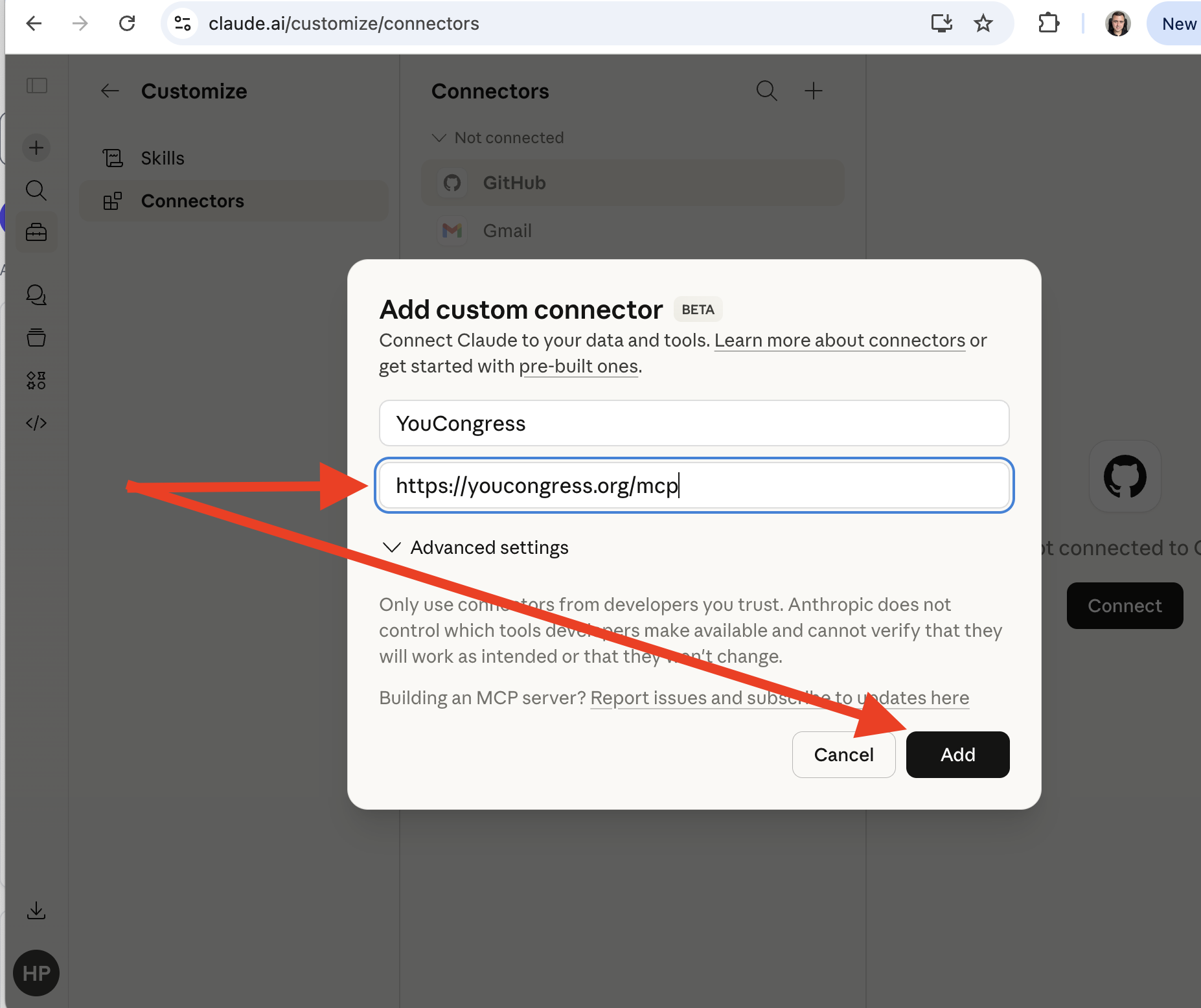
Adding YouCongress as a custom connector in Claude
Access write tools
Public read-only tools work without an API key. To create or edit data, first create an API key in Settings, then authenticate in one of these ways:
-
Recommended:
configure the connector's
Authorizationheader asBearer YOUR_API_KEY. -
Less safe:
put the key in the connector URL as
https://youcongress.org/mcp?key=YOUR_API_KEY. URLs may be stored in configuration, logs, or browser history, so prefer the header when available.
Step 2: Enable YouCongress if it's not already enabled
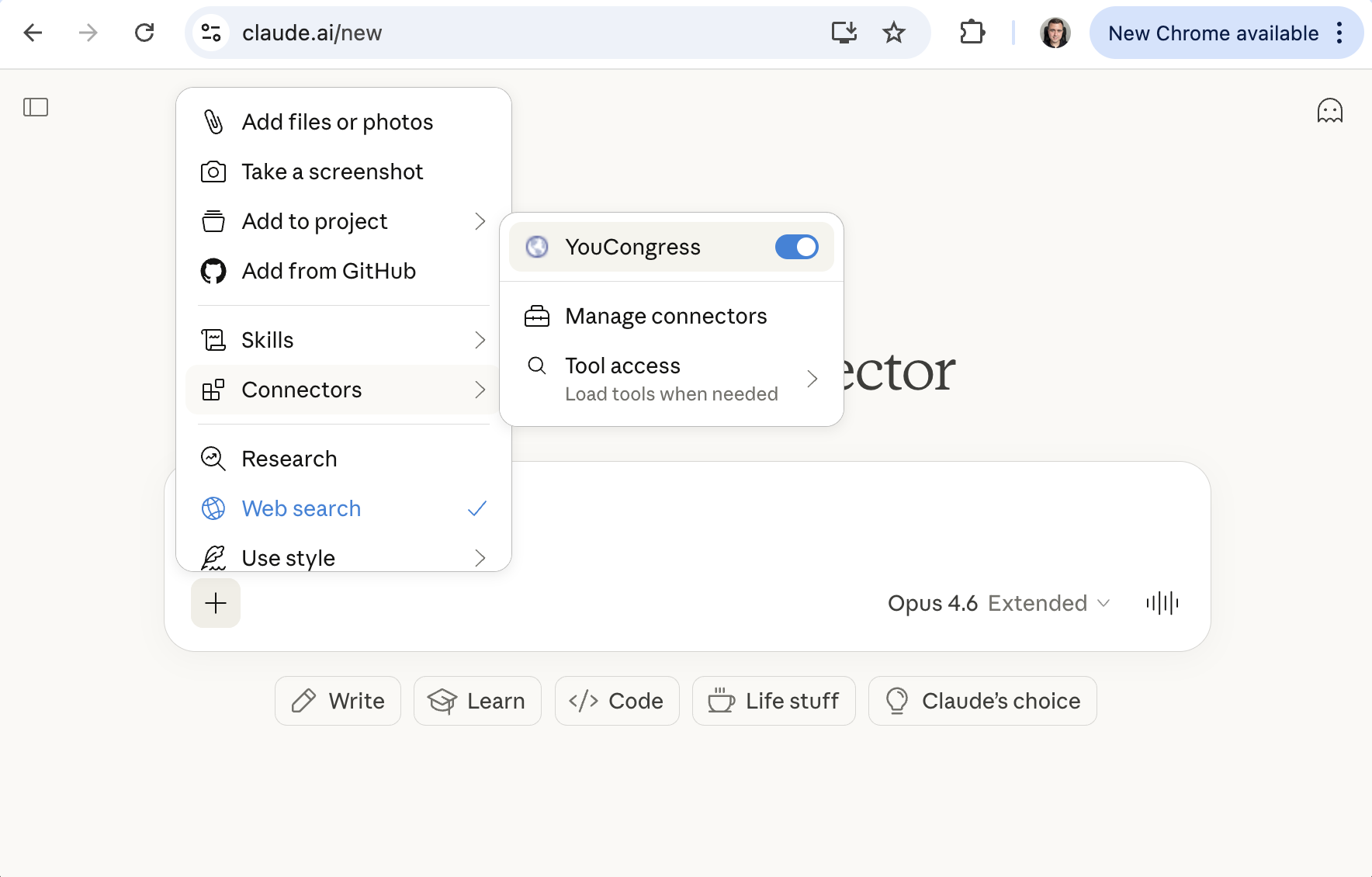
Enabling YouCongress as a custom connector in Claude
Step 3: Start a Conversation
Open a new chat in Claude and try pasting one of these prompts:
You are a policy analyst researching AI's impact on jobs. Use YouCongress to search quotes from 2025 onwards, cluster them by argument, create a disagreement map and identify tension points. Return verbatim attributed quotes with links to sources.
You're a journalist writing about the pros and cons of advanced open source AI. Use YouCongress, identify arguments, explain each of them and include alternative policies. Return verbatim quotes with links to the sources.
Claude will use the YouCongress tools automatically. The first time it tries to use a tool, it may ask for your permission. Just click Allow.
Tips
- If Claude doesn't seem to use YouCongress tools, mention "YouCongress" in your message so it knows to use the connector.
- For a full list of available tools, see the MCP Tools reference.